The local toolbox for developers.

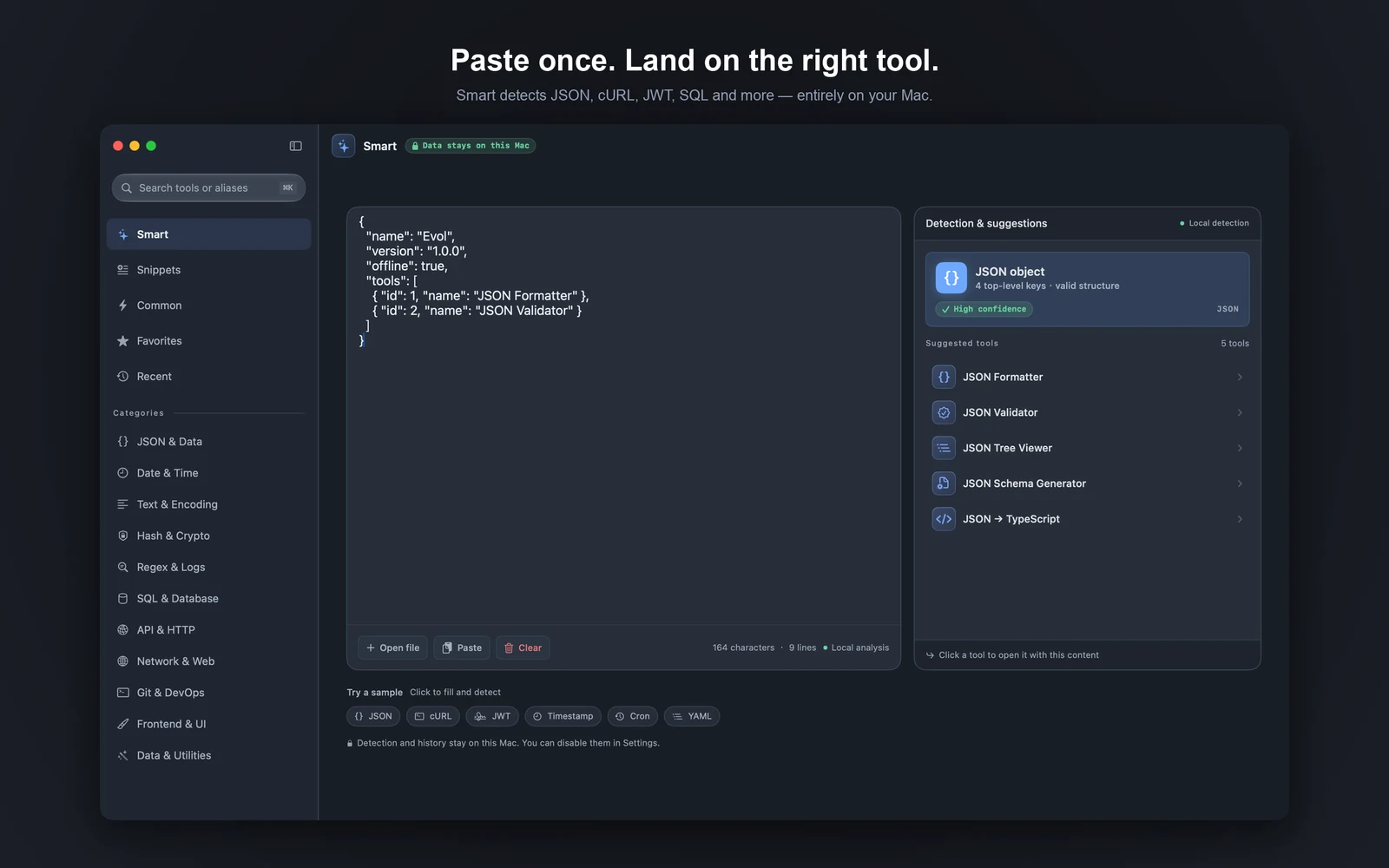
Smart detects JSON, JWT, cURL, SQL and more on your Mac, suggests tools, and opens them with your content already loaded.
140+ tools for formatting, encoding, debugging and generating — offline by default, fast, and your content is not uploaded to Evol servers.

Evol Smart page: paste content and get the right tools suggested automatically

Less switching. More finishing.

From detection and opening a tool to copying the result and moving to the next one — it all happens in one window, without hopping between websites and scripts.

Offline first

Processed on your Mac by default.

Text, files and images are processed on this Mac. No Evol account, no ads, no telemetry. Network traffic only happens when you run a network tool, look up a public IP, restore purchases, or turn on iCloud sync.
All in one

140+ tools. One app.

Format, encode, encrypt, debug HTTP and WebSocket, generate mocks and tidy SQL — everyday actions live in one sidebar. Favorites, Recents and categories keep the next tool within reach.

Smart flow

Detect, open, keep the result moving.

Paste or drop content and Smart suggests tools; open one and your input comes with it. ⌘K to search, ⌥Space to summon Evol from anywhere, ⌘⇧C to copy the result — fewer round trips.

How the tools work together.

Detect, carry content forward, copy the result, and take the next step — leave the busywork outside the app.

Detect

Paste content. See the right tools at once.

Paste text or drop a file or image. Smart detects types like JSON, JWT, cURL and SQL on your Mac, then lists suggested tools with confidence.

Carry forward

Open a suggestion. Your input is already there.

When you open a tool from Smart, detected content comes with it — no re-paste. Switching tools can keep the current input, and you can copy the result into the next step.

Keyboard & history

Everyday actions at your fingertips. Pick up where you left off.

⌥Space summons Evol from any app, ⌘K searches tools, ⌘1–⌘4 switches main navigation, and ⌘⇧C / ⌘⇧S copy or export results. Favorites, Recents and history bring back your last context.

Move between tools with quick actions.

Every workspace is built for reading, editing and handing the result to the next step — without pasting again.

Format, validate, then browse as a tree.

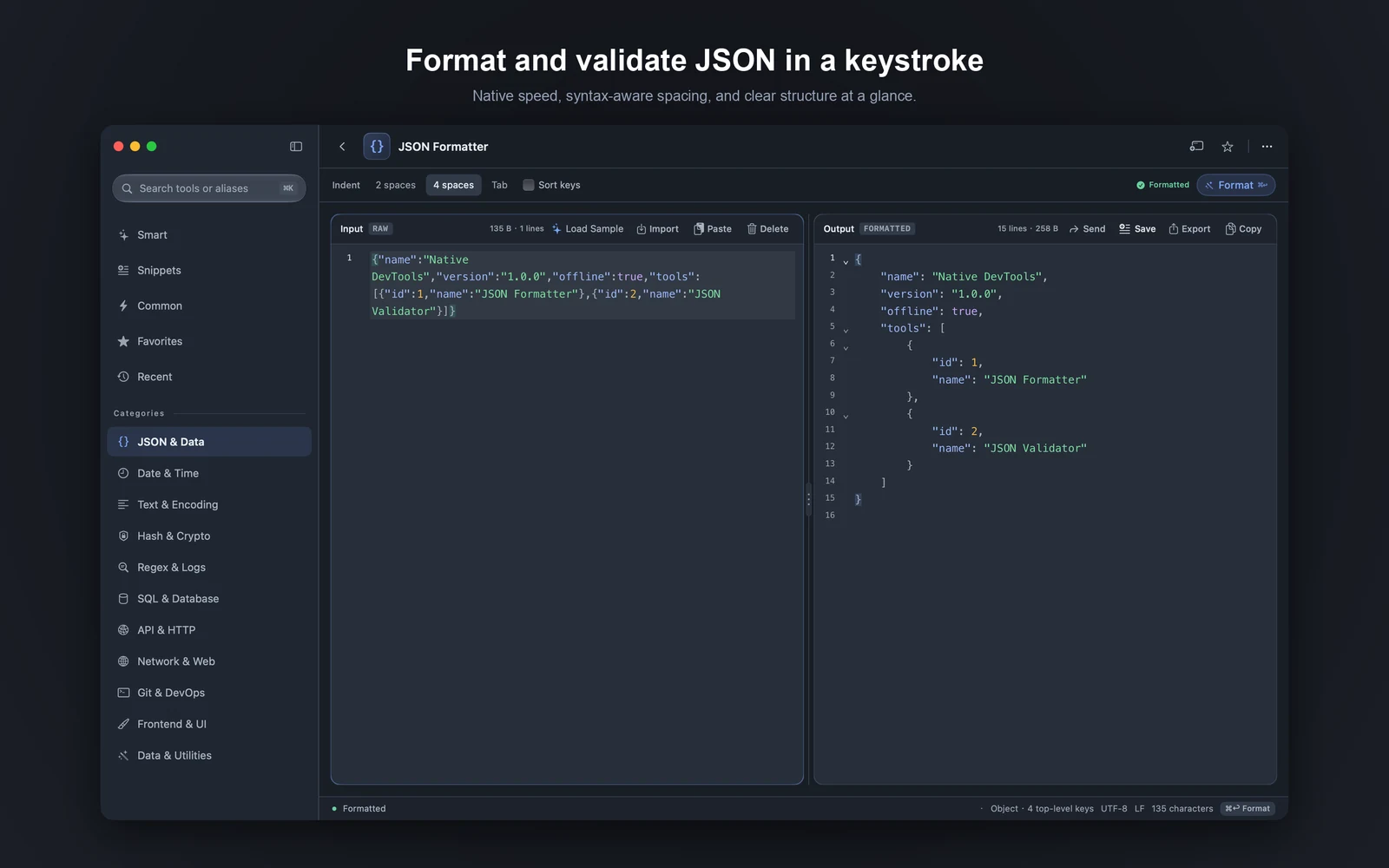
Beautify or minify JSON in one step, with syntax errors marked in place. Fold large structures, copy a node path, then open Tree or Diff with the same content still loaded.

JSON Formatter: input on the left, output on the right

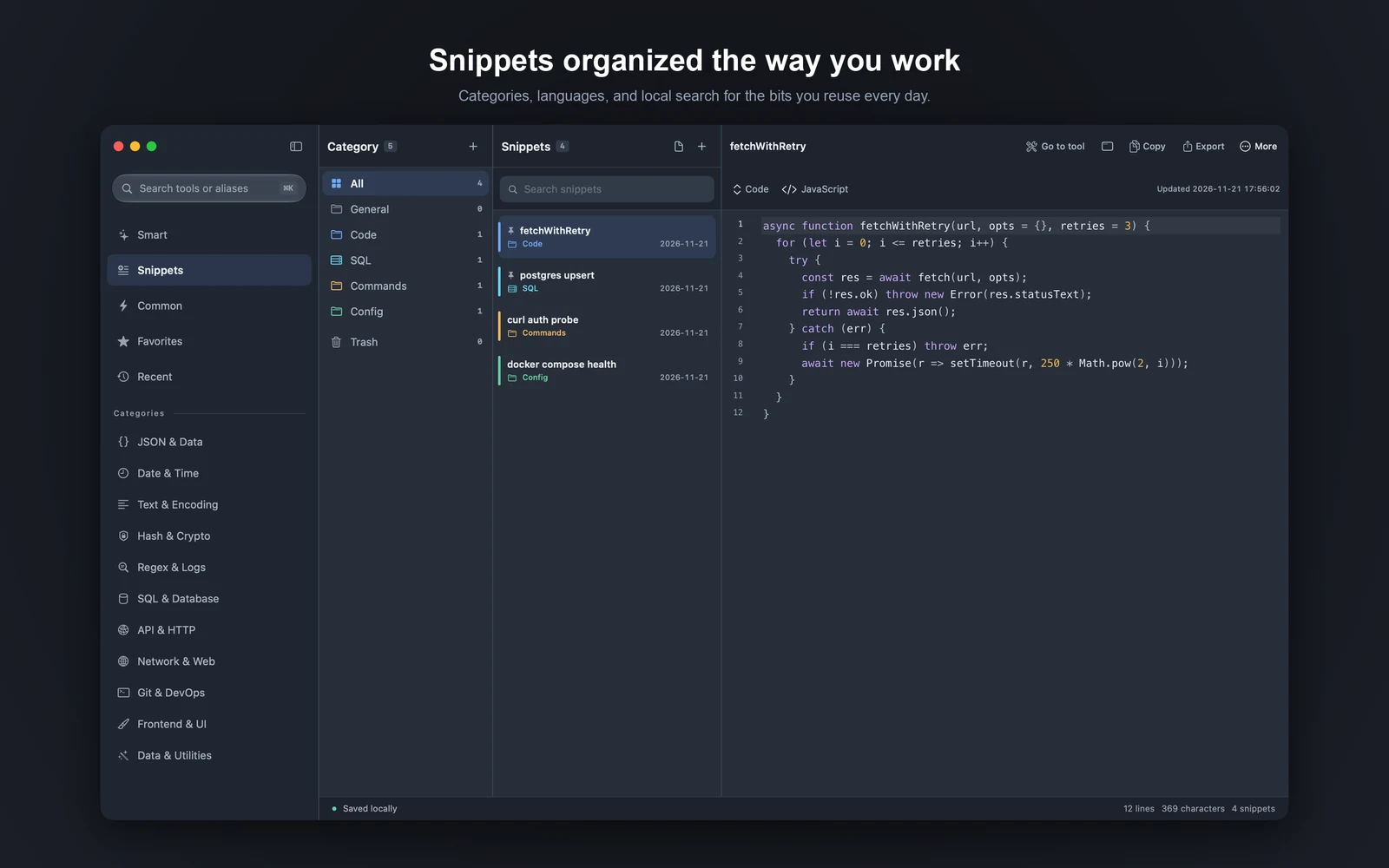
Snippets: save, find, paste fast.

Organize by category, language and color, then find them with local search. Right-click to rename, open in a new window or move to the Trash — and restore anytime. Content stays on this Mac by default.

Snippets: categories on the left, list in the middle, editor on the right

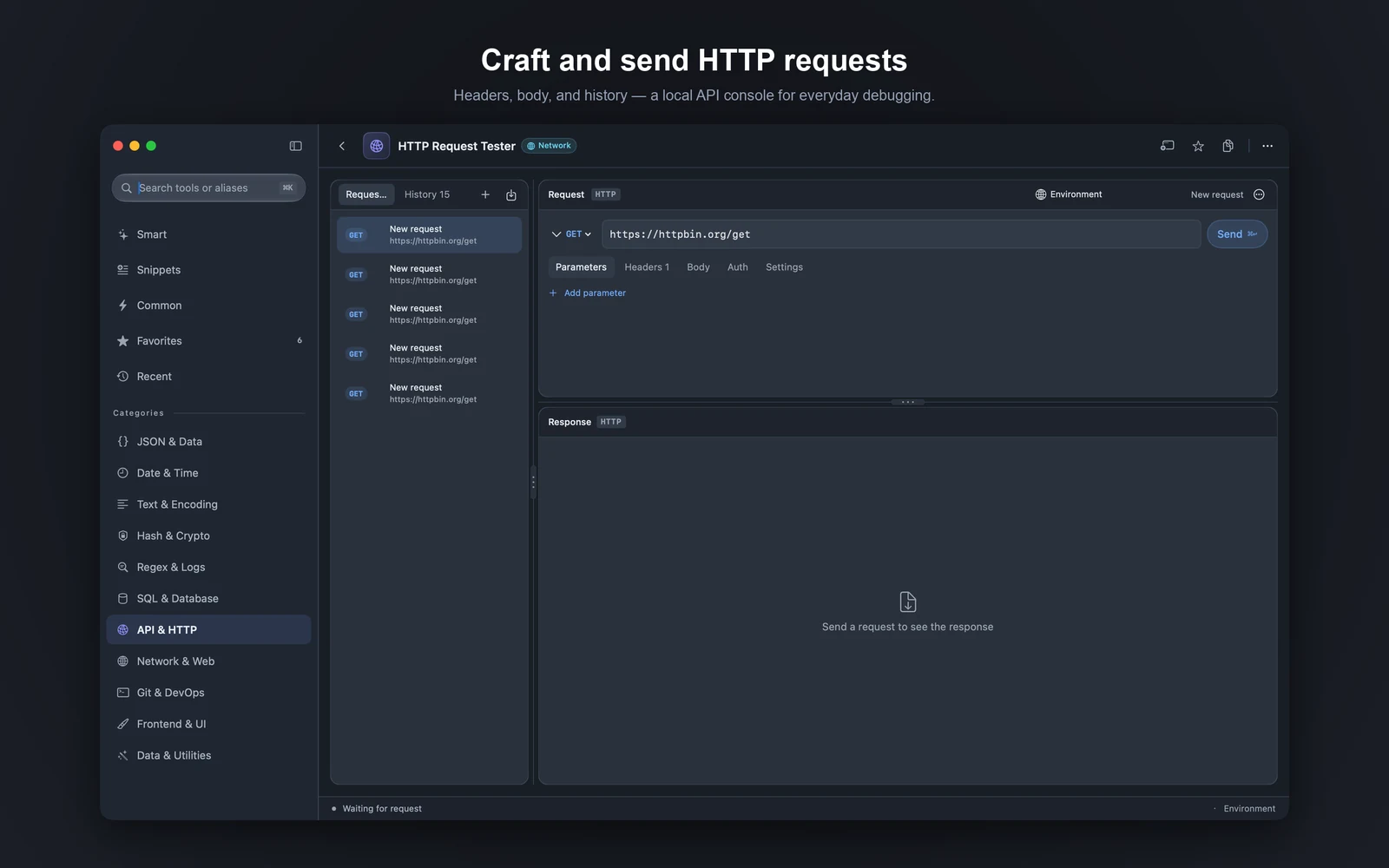
HTTP: edit, send, inspect on the spot.

Edit method, URL, headers and body, then send with ⌘↩. Status, response headers and body stay on one screen, with history you can replay. Sensitive headers live in the Keychain, not in plain configs.

HTTP Request Tester with request list on the left and request and response panels on the right

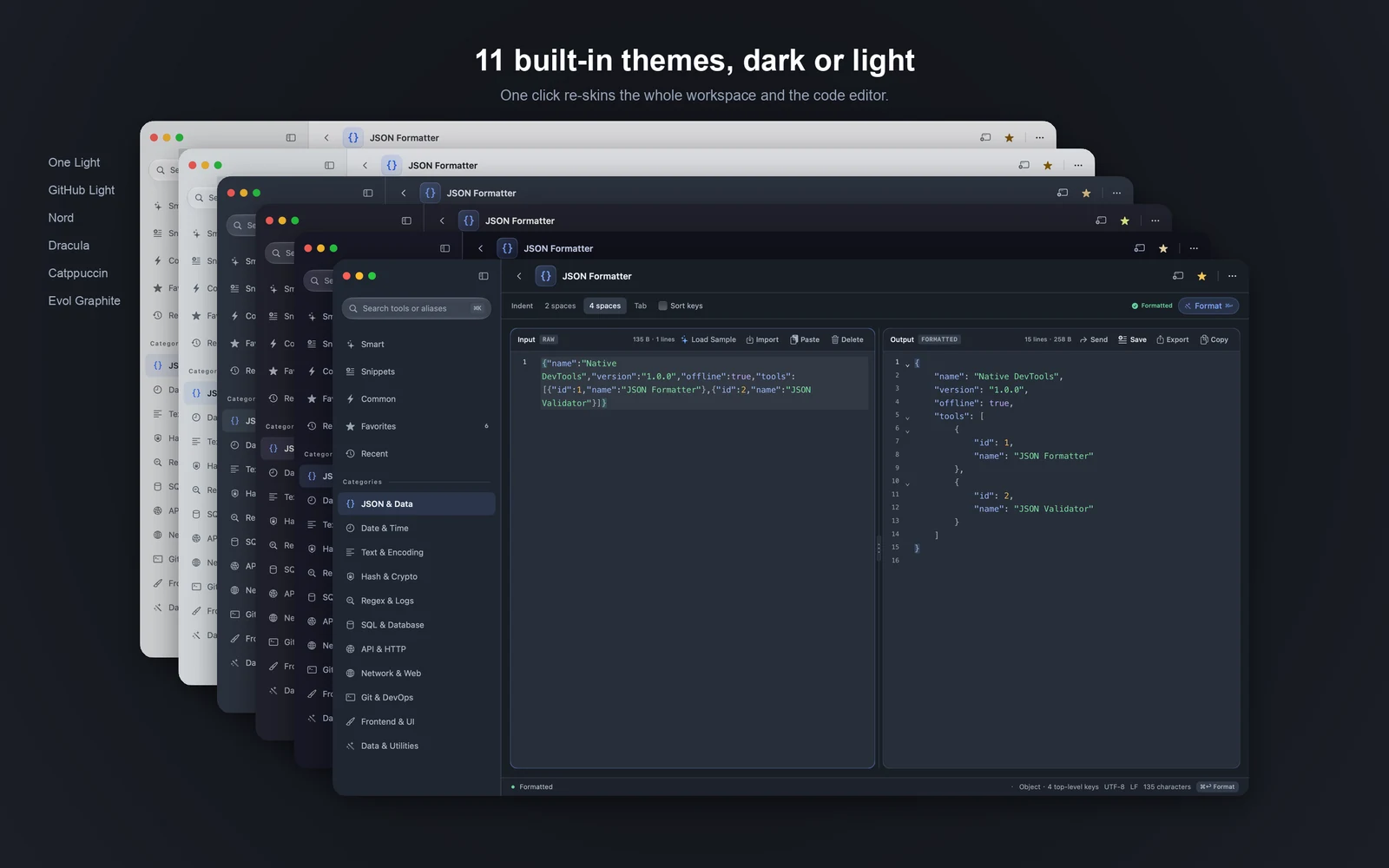
11 themes for workspace and editor.

Switch light and dark in one click, and set the UI language on its own. Changing the theme does not clear the content in your current tool — keep editing and running.

Several built-in themes shown side by side

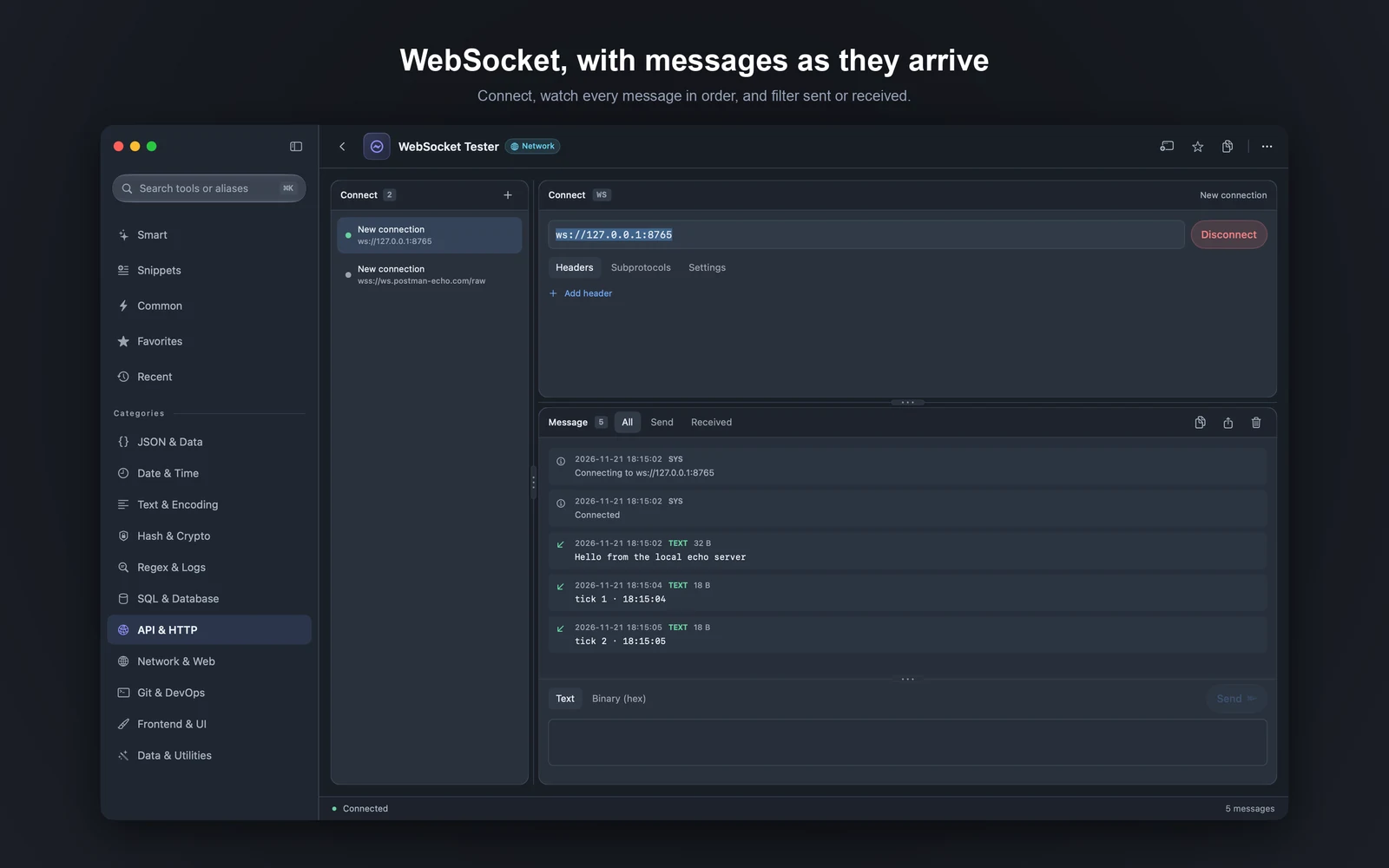
WebSocket: many connections, filterable messages.

Manage several connections at once, with headers and subprotocols. Filter the log by sent or received, and send text or hex binary. Stay connected while you work in other tools — the stream keeps running.

WebSocket tester with connection list, address bar, message log and composer

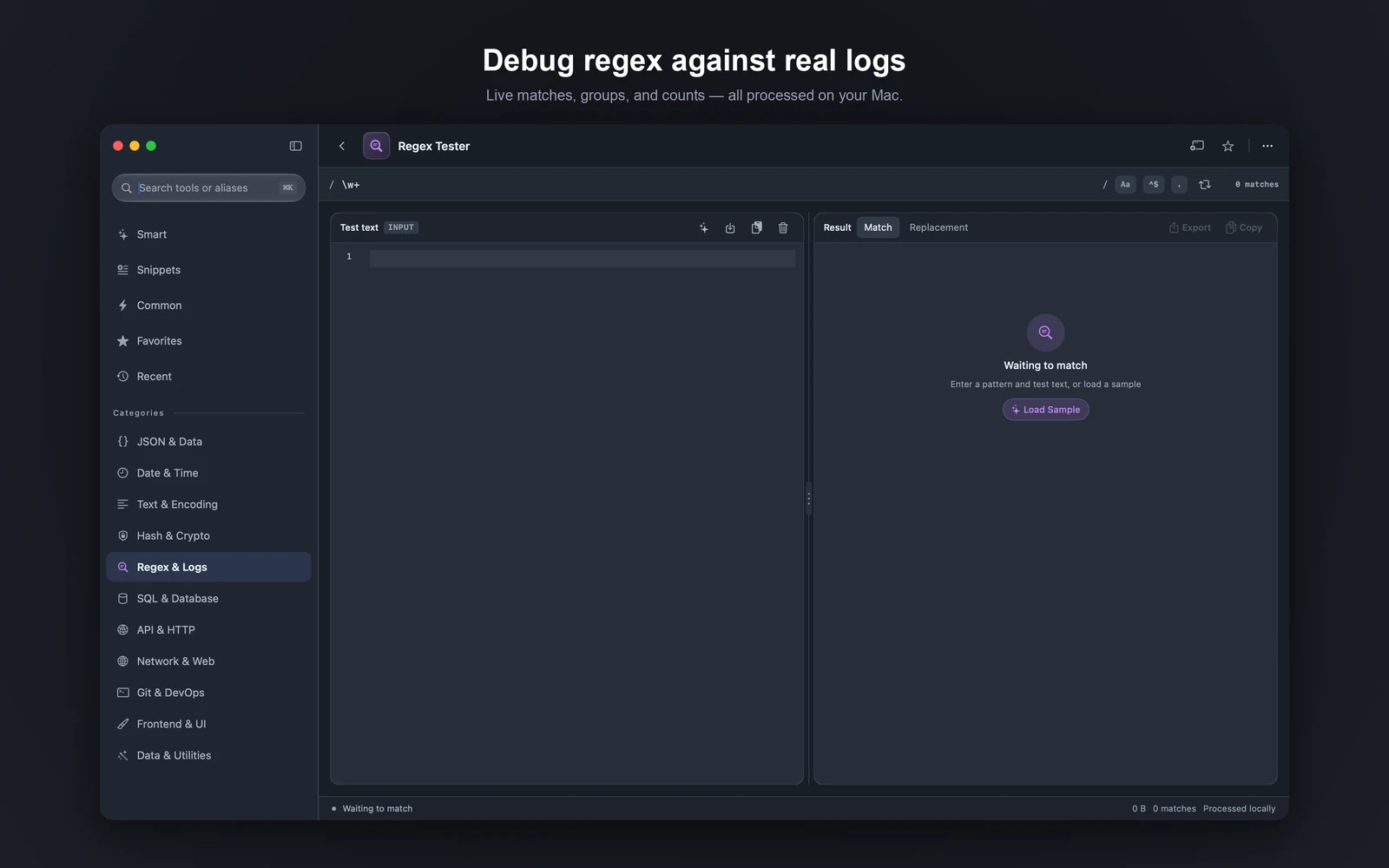
Regex: match real logs, see groups at once.

Match live with capture groups highlighted, and reuse common templates. Copy matches into the next step instead of retyping groups.

Regex tester with expression and sample text on the left, matches on the right

JWT: split header and payload at a glance.

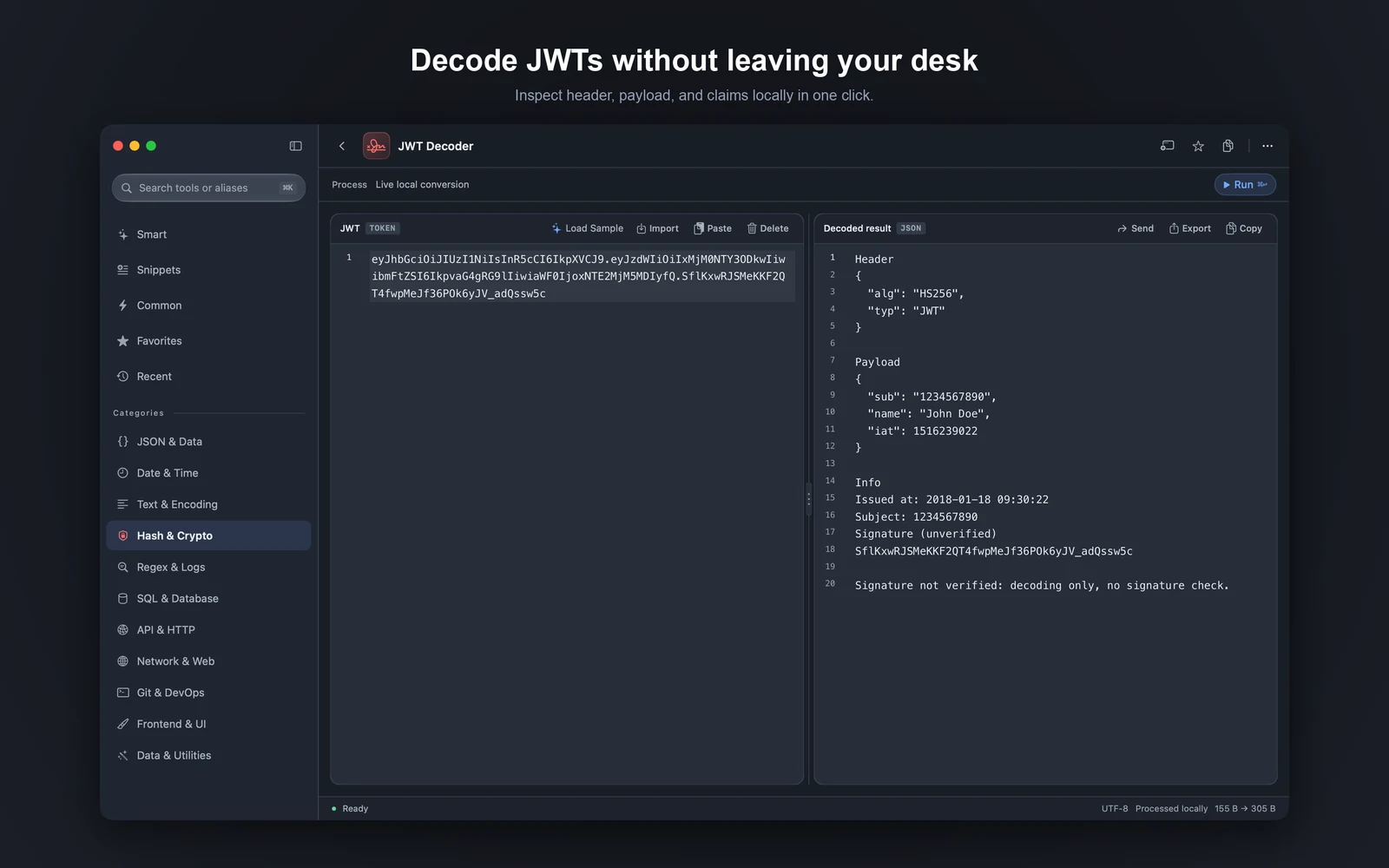
Paste a token to decode it. Expiry and claims sit on one screen — verify or generate next without losing context.

JWT decoder showing header, payload and claims

QR codes: make them, or read them from an image.

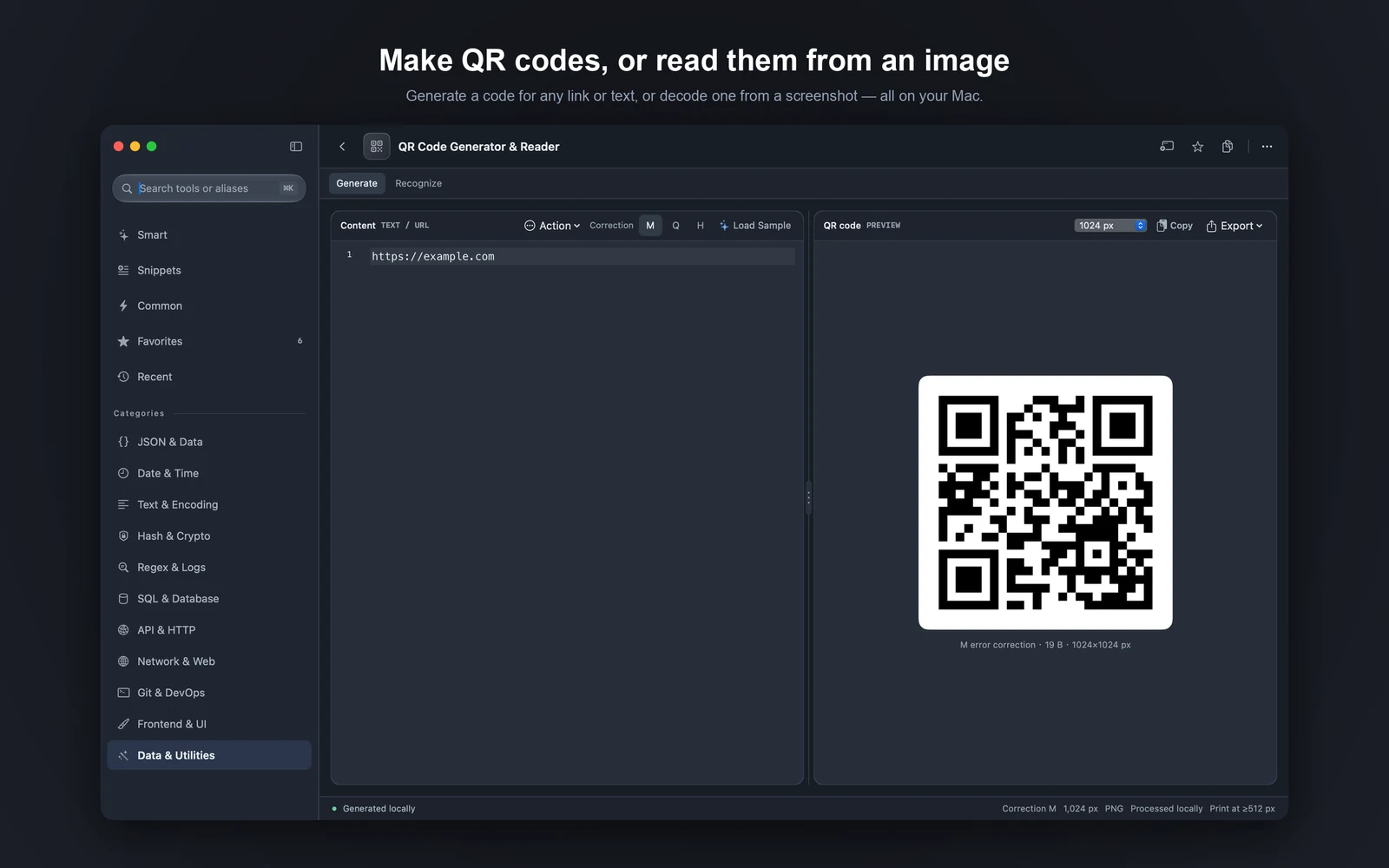
Turn text or a link into a QR code, pick the error correction and size, then export as PNG or SVG. Drop in a screenshot to read a code back — everything runs on this Mac.

QR code generator showing a code for a link, with error correction and size options

Browse more built-in tools ›

Tools, listed by type.

11 categories and 140+ built-in tools. Each type shows its tools at a glance.

Browse all tools ›

iCloud sync keeps your Macs in step.

Snippets sync between your Macs through your own iCloud. Your data never passes through Evol servers.

CloudKit sync (default)

Data is kept in the private database of your iCloud account, encrypted by Apple in transit and at rest.

Optional, off by default

Turn it on in Settings. Sign in to iCloud with the same Apple ID; unsigned development builds cannot use CloudKit.

Only what you need

Syncs snippets, categories and category colors. History, clipboard and Keychain credentials are never synced.

Sync requires signing in to iCloud. No sync password is needed, and you can turn it on or off in Settings at any time.

Debug the network. Own time and flow.

Live streams, callbacks, schedules and history — connect, inspect and reuse as soon as you open them.

SSE Tester

Connect to an SSE endpoint and watch events arrive in order — handy for checking push timing.

Webhook Inspector

Receive webhooks locally, inspect headers and body, and confirm the callback shape before production.

Cron Workbench

Build and validate Cron, preview the next run times, and copy the expression into your deploy config.

Clipboard History

Keep recent copies in a local list, then paste them straight into the tool you’re in.

Command History

Keep generated and run commands on file, then copy again or tweak and rerun.

Timestamp Converter

Convert timestamps and dates with time zones, then copy the result into logs or request params.

Download Evol.

Start a 14-day free trial and paste into Smart and everyday tools right away. Then choose an annual subscription or a lifetime license — prices are set by the App Store.

Requires macOS 14 or later.